Alumni job board
Find an opening and someone in your network who knows the company
Alumni share openings in their institution’s private network. Each listing can show alumni who work or previously worked at the company, so a graduate can find someone to contact before applying. The people available depend on your community and its profiles.
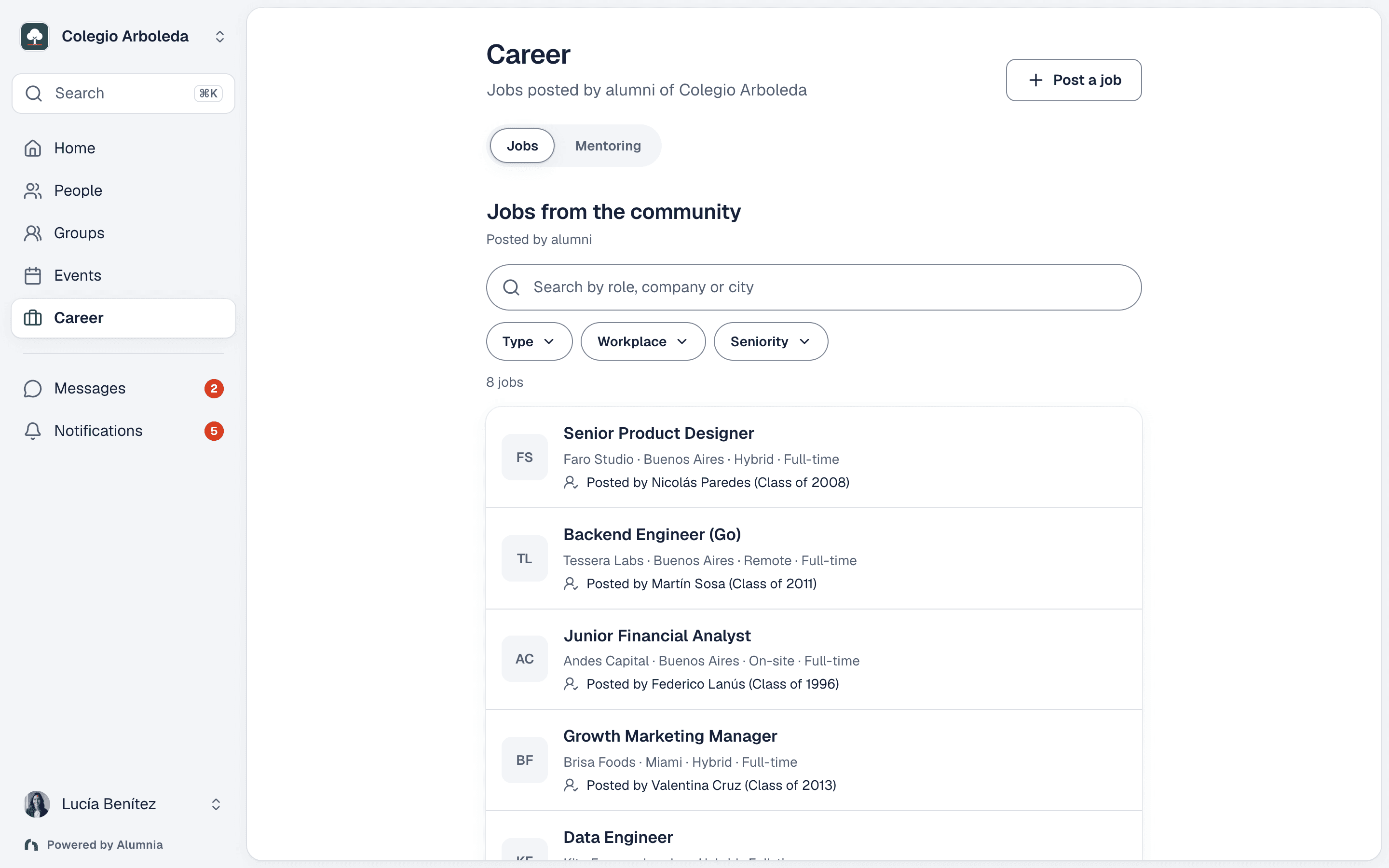
1. Share a useful opening with your alumni
A signed-in member with verified membership can post a role inside the institution’s network. Add the title, company and an application link, email or phone number; salary, location, employment type and seniority help others decide whether it fits. Ordinary posts publish directly: there is no mandatory approval before publication. The screenshot is an illustrative jobs board from our fictional demo institution.
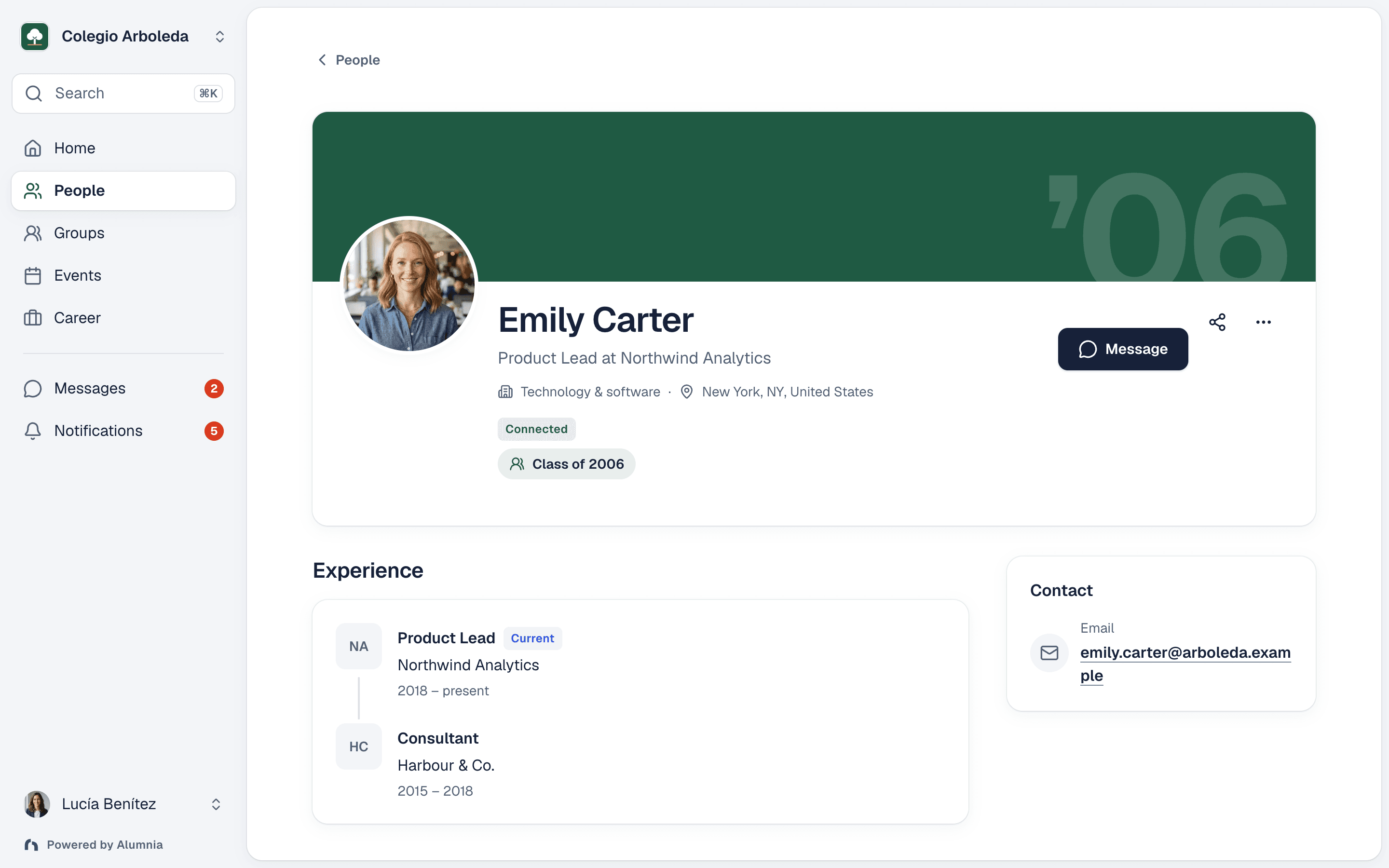
2. Find relevant experience at the company
Open a listing to see its poster and any available alumni at that company. Alumnia uses company information in profiles and work history to find verified members of the same institution who work there now or previously worked there. This is not a complete employee list: missing or outdated profiles can leave the section empty. The example profile illustrates the career information behind these connections.
3. Ask a person, then use the application contact
Open the poster’s or another alumnus’s profile. Send a connection request or a message when the network’s messaging settings and your connection allow it. Ask a specific question about the role or company; the other person decides whether to respond. The application action opens the link, email or phone contact provided by the poster. Alumnia does not submit an application for you or guarantee a referral, interview or job.
Keep the board useful after publication
Posters and eligible administrators can edit, close, mark a role as filled, renew or delete a post. A deadline stops application actions once it has passed; eligible expiring or expired open posts can be renewed. Views, application clicks and saves describe interest, not hires. Start with a few relevant roles, check the application contacts and agree who will maintain the board. Keep confidential applicant information out of shared posts.
Questions about alumni jobs and company connections
Who can post a job, and who approves it?
Signed-in members with verified membership can share openings when jobs are enabled in their institution. Ordinary posts publish directly, with validation and posting limits; there is no mandatory approval before publication. Posters and eligible administrators can manage or remove posts afterward. Your team still sets the community’s posting expectations.
Does Alumnia recruit or guarantee a referral?
No. Alumnia helps alumni discover shared openings and people with relevant company experience. A member can ask for advice or a connection, but the person decides whether to help. Applying uses the contact supplied in the listing; Alumnia does not submit applications or promise interviews, referrals or hiring results.
Why might no alumni appear at a company?
Company connections depend on available profile and work-history information from verified members of the same institution. A small community, missing experience or outdated details can mean no one appears. The displayed people are a selection, not a complete employee directory, and a past employee may no longer work there.
What happens when an opening expires or is filled?
The poster or an eligible administrator can close a listing or mark it as filled. Application actions stop when the listing is closed, filled or past its deadline. Expiring or expired open posts can be renewed when the role is still available. Views, application clicks and saves measure interactions, not completed applications or hires.
Can alumni use the jobs board on a phone? Is this for current students?
Alumni can use the mobile web interface and the shared Alumnia iOS and Android apps to access their community. Jobs availability depends on the institution’s configuration; application destinations may open another site or app. This page describes jobs shared within an alumni community, including recent graduates, rather than a current-student recruitment service.
How do we start, and what does it cost?
Invite a graduate cohort, verify memberships and check that jobs are enabled. Ask a few members to share genuine openings and keep them current. The Free plan includes the core platform up to 100 verified members. Paid plans charge a flat monthly fee by verified-member capacity. Staff and administrators count even without recent activity; imported records and pending invitations do not. See pricing for every USD monthly tier and custom Enterprise terms.
Give your first graduate cohort a reason to return
Start free with up to 100 verified members. Invite alumni who can share useful openings and help others understand a company.
Start your alumni network free